When a laundromat doesn't show up for "laundromat near me" on Google Maps, it's usually one of five things: missing or wrong hours, the wrong main category, reviews nobody replied to, old photos, or contact details that don't match. All five are free to fix.
None of them needs a new website or an ad budget. They're settings and habits on your Google Business Profile, the free listing that puts you on Maps. Here's what each one looks like, why it costs you customers, and how to fix it this week.
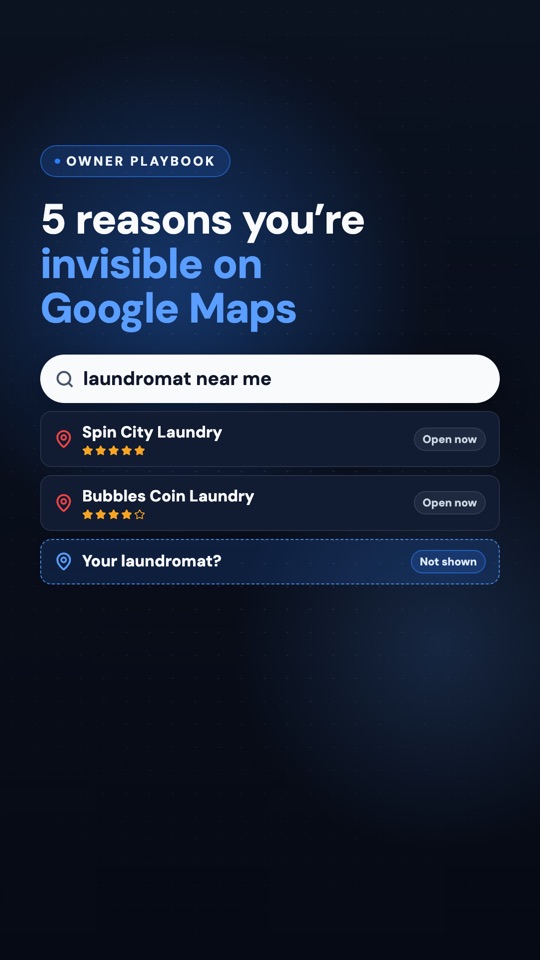
Coming Thursday, Oct 1 to Instagram, Facebook and YouTube
5 reasons your laundromat is invisible on Google Maps
We post a short laundromat marketing tip every Tuesday and Thursday on Instagram, Facebook and YouTube.
Follow so you catch it →How Google decides who shows up
Google doesn't publish its exact formula, but its help page on local ranking says local results are based mainly on three things:
- Relevance: how well your listing matches what someone searched. Your category, services and the other details on your profile feed into it.
- Distance: how far you are from the person searching, or from the place they typed in. You can't change this one.
- Prominence: how well known your business is. Google says your reviews are part of it.
Distance is fixed. The other two are mostly in your hands, and each of the five reasons below chips away at one of them, or at the customer's trust once they find you. And be wary of anyone who promises you the top spot. Nobody outside Google controls it.
1. Your hours are missing or wrong
Hours are the first thing a laundry customer checks. Someone with a trash bag of wet towels at 9 PM isn't going to gamble on a store that might be closed. If your listing shows no hours, or hours that are wrong, they tap the next store that says "Open."
Holiday hours count too. Around the holidays Google may tell people your hours "might differ" if you haven't confirmed them, and that's enough to send a careful customer somewhere else. Worse is the customer who drives over on Thanksgiving morning and finds a locked door. That's a trip they remember.
The fix: open your Business Profile, edit your hours, and check every day of the week against what's on your door. Then add special hours for each holiday coming up, including the ones where you're open as usual.
2. Your main category isn't "Laundromat"
Your primary category tells Google what kind of business you are. If yours says "Dry cleaner" or something close to it, you're telling Google you're a slightly different business from the one people are searching for. That's relevance, and it's an easy one to miss.
It usually isn't the owner's fault. A previous owner set up the listing, or someone guessed during setup years ago, and nobody has looked at it since.
The fix: make "Laundromat" your primary category. Add extra categories only if they describe something you really do. Piling on categories that don't fit muddies what you are.
3. Your reviews are old, and nobody replied
Picture a listing whose newest review is eight months old: a five-star "Clean and quick!" with no reply underneath. Nothing's wrong with the review. But to someone comparing three stores, it looks like nobody's minding this one.
Reviews are part of prominence, and replies show you're paying attention. So this one has two halves: a steady flow of new reviews, and a reply on each one.
- Ask every customer, not only the ones who look happy. Asking only happy customers is called review gating, and it's against Google's policy.
- Never offer anything in exchange for a review. No free dry, no discount.
- Make it easy: a QR code sign by the folding tables that goes straight to your review page.
- Reply to all of them, good and bad. A short, human thank-you is enough for the good ones.
If you'd rather not remember to ask, that's what automatic review requests are for. We also wrote about why reviews matter as much as your ad budget.
4. Your photos are from opening day
People decide from your photos before they ever see your store. If your listing still shows grand-opening balloons, machines you've since replaced, or a storefront you've repainted, customers either don't recognize you from the street or wonder what else is out of date. And if the only recent photos are a customer's dim, blurry shots, those are what everyone sees.
The fix: take a few new photos with your phone, in daylight, with no customers' faces in them:
- Your storefront from the street, so people recognize it when they pull up.
- A wide shot of the clean, bright interior.
- Your machines, especially the big washers that fit a king comforter, and how people pay.
Then add a few new ones every few months, so your newest photos are never older than a season.
5. Your name, address or phone number doesn't match everywhere
Your store is listed in more places than you think: Google, your website, your Facebook page, Yelp, Apple Maps, and directories you never signed up for. When the website still has the old phone number, or Facebook spells the street differently, customers call a dead line, and Google sees conflicting details about what should be one business.
The name matters too. Use the name on your sign, exactly. Google's guidelines say your business name should match your real-world name, so adding "Cheap 24 Hour Coin Laundry" to it isn't a shortcut. It's a rule break that can get your listing suspended.
The fix: write down one exact version of your name, address and phone number. Then check it against Google, your website, Facebook and any other listing you can find, and correct every one that's different.
🧺 What this looks like in practice
Take Maple Street Laundromat, a made-up store. The owner, Tom R., searched from his parking lot and found two competitors above him. His listing had no Sunday hours, a "Dry cleaner" category left over from the previous owner, a newest review from last spring with no reply, grand-opening photos, and an old phone number on his website. He fixed all five in an afternoon, for free. How fast a listing moves depends on the stores around you, but every customer who finds Tom now sees a laundromat that's open, clearly a laundromat, and clearly looked after.
Mistakes that make it worse
- Fixing it once and forgetting it. Hours change, holidays come around, and photos age. Put a checkup on the calendar every season.
- Buying reviews or trading freebies for them. It breaks Google's rules, and reviews can be removed.
- Making a second listing instead of fixing the first. Google allows one profile per location, and a duplicate splits your reviews between two listings.
- Only checking from home. Results depend on where the search happens, so check from where your customers are.
One thing this week
Stand in your parking lot and search "laundromat near me" on your phone. Where do you show up, and who shows up above you? Tap the stores that beat you and compare them to your listing: hours, category, reviews and replies, photos. The gap is usually one of the five above.
Then fix what you find, one item a day if that's all the time you have. All five are free, and none of them takes long.